📅 the calendar
One square per day, darker when you worked more: the gaps in your studying jump out. Tap a day to see its sessions. And 5 days in a row earn you a grace day, which protects your streak if you forget.
the guide · 10 methods that work
The best-known study methods, explained simply and revisited the Studva way: for each one, the idea, how to do it, and what the app adds to help you stick with it.
pick your method, or try them all
25 minutes always feels doable
A 25-minute block on a single task, then a 5-minute break; after four blocks, a 15 to 30-minute break. Created by Francesco Cirillo in the late 1980s, the technique makes starting easier.
focus block · 25 minshort break · 5 minlong break · 15 to 30 min
in Studva: the Pomodoro scheduled breaks offer 5, 15 and 30 minutes, and the timer starts again on its own
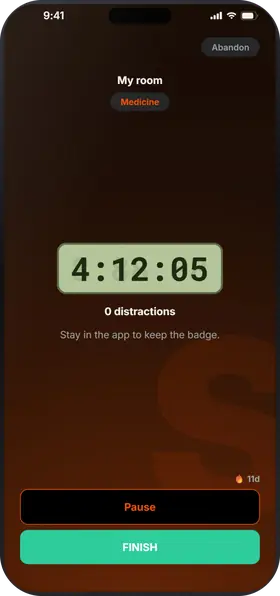
Start the timer, and when your block is done, long-press pause and slide to choose your break, from 5 minutes to 1 hour: the timer starts again on its own. In Settings, the Pomodoro scheduled breaks keep only 5, 15 and 30 minutes. Breaks never count in your time, and a block with zero distractions earns the 🎯 Focus intact badge.
The full guide: the Pomodoro technique with Studva.
no countdown, just your rhythm
Created by Zoë Read-Bivens as a twist on Pomodoro, the Flowtime technique drops the countdown: you work as long as your focus holds, then take a break sized to the block. It suits tasks that take a while to get into, like an essay or a long problem set.
block · as long as your focus lastsbreak · sized to the block
in Studva: the timer counts up with no limit, and each break lasts from 5 minutes to 1 hour
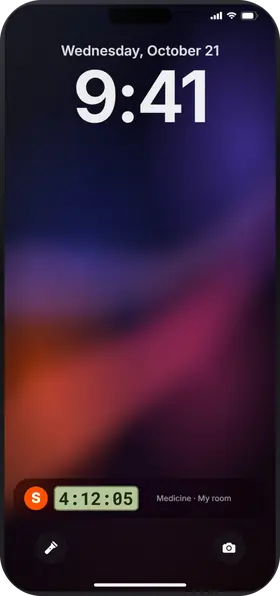
Studva already works this way: the timer counts up with no limit, and you decide when to stop. Long-press pause and slide to a break that matches the block, from 5 minutes to 1 hour: the timer starts again on its own. Your stats keep the length of every session, and the home screen tells you when your sessions are getting longer.
long blocks, proper breaks
In 2014, the makers of the DeskTime software looked at the 10% most productive people using it: on average, they worked for 52 minutes, then took a real 17-minute break. Their later studies found even longer blocks: the exact numbers matter less than switching between intense work and a break away from screens.
work · 52 minbreak · 17 min, away from screens
in Studva: the 52/17 scheduled breaks include 17 minutes, and the timer starts again on its own
In Settings, choose the 52/17 scheduled breaks: when you long-press pause, the slider offers 10, 17 or 30 minutes. Aim for 52 minutes on the timer, then slide to 17: the timer starts again on its own. Every minute of work earns 1 XP: a 52-minute block is 52 XP to spend in the shop.

one long dive, one real break
In the 1960s, sleep researcher Nathaniel Kleitman described a “basic rest-activity cycle” of about 90 minutes, which he believed carried on during the day. And in a well-known 1993 study, Anders Ericsson found that the best young violinists practised in sessions of 90 minutes or less, with a break in between. Daytime cycles are still debated, but 90 minutes is a good ceiling for deep focus.
work · 90 minbreak · 20 min, away from screens
in Studva: the 90/20 scheduled breaks include 20 minutes, and the timer starts again on its own
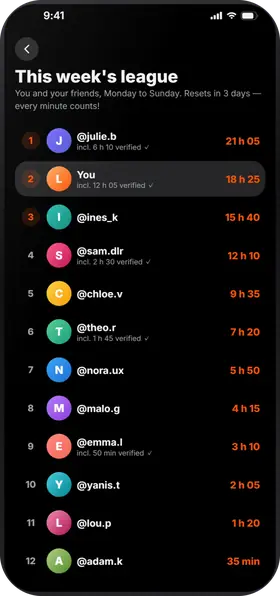
In Settings, choose the 90/20 scheduled breaks: when you long-press pause, the slider offers 10, 20 or 30 minutes. Aim for 90 minutes on the timer, then slide to 20: the timer starts again on its own. And every minute counts in the friends league: two cycles in one evening put 3 hours on the board.
a little, but often
We quickly forget what we've just learned: that's the forgetting curve, described by Hermann Ebbinghaus in 1885. Reviewing a topic at longer and longer intervals makes it stick far better than one long session the night before the exam.
Pick the subject when you start the timer. In your stats, the activity calendar shades each day by how much you worked: tap a day to see its sessions, and your time per subject shows the one you've neglected. Your streak helps you come back a little every day, the heart of the method, and 5 days in a row earn you a grace day if you forget.
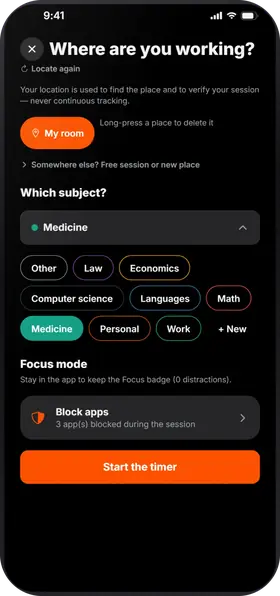
close your notes, write it all down
Rereading your notes feels like mastery, but you remember things by pulling them out of your memory. Researchers call it the testing effect (Roediger and Karpicke, 2006).
Everything looks clear while you read. A week later, not much is left.
✗ feels like masteryNotes closed, you write what you remember. It's harder, and that's why it sticks.
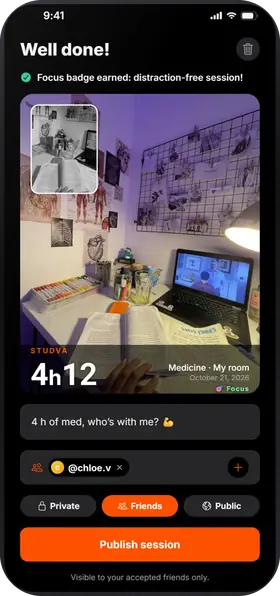
✓ memory that lastsUse the end photo: snap your recall sheet, written without your notes. With the start photo, you get a real before/after of your session, and your friends see the work behind the timer.
if you can explain it, you get it
It's inspired by physicist Richard Feynman, 1965 Nobel laureate, known for explaining complex ideas simply. The idea: if you can't explain it simply, you don't understand it yet.
Explain the topic to a friend in a direct message, or to your class in your club chat. If they get it, you've got it; if they ask questions, you know what to review.
your week, booked in advance
Instead of a to-do list, you book slots in your week, each one for a subject or a chapter. Popularized by Cal Newport, the method saves you from spending the evening wondering where to start.
example: one block = one subject, and Sunday stays free
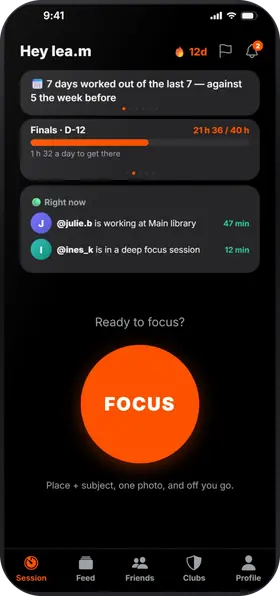
Add your deadlines with the time to put in, say 20 hours for your law exam: the counter fills up during your sessions, and the countdown greets you every time you open the app. Your weekly goal fills up too. And when the home screen spots your golden slot, say between 6 and 8 pm, put your hardest blocks there.
the whole idea behind “study with me”
Working in someone else's presence, even without talking, makes it easier to start and keep going. It's very popular with people who have ADHD, and it's the whole appeal of “study with me” videos, where someone works live on camera. Research on it is still thin, but many people find it works for them.
On the home screen, “🟢 Right now” shows the friends who are in a session: start yours at the same time, even remotely. At the end, mention them on your post (“with @friend”, up to 5 friends). In a club, suggest a group session: it gets posted in the club chat.
same place, same focus
Your brain links places to activities. Always studying in the same spot, with your phone out of reach, helps you get into focus faster: that's the idea behind deep work (Deep Work, Cal Newport, 2016).
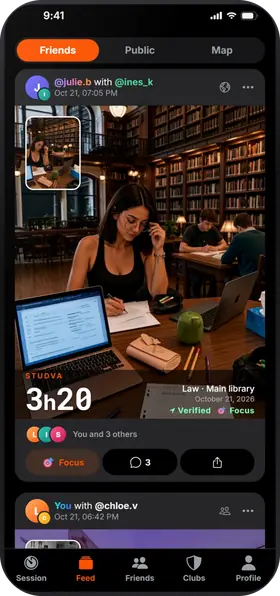
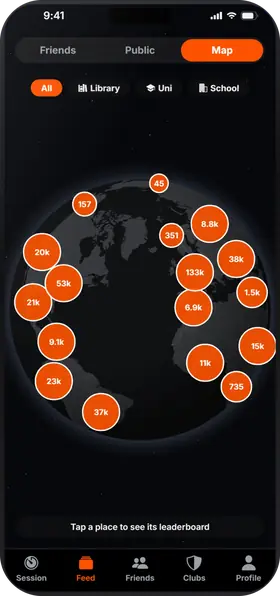
The map lists more than 500,000 libraries, universities and schools, each with its own leaderboard. While the timer runs, leaving the app counts as a distraction. On iPhone, choose apps to block during the session with Apple's Screen Time: Studva never sees which ones. On Android, Reinforced Focus turns on Do Not Disturb for the whole session.
what Studva tracks for you, with nothing to write down
One square per day, darker when you worked more: the gaps in your studying jump out. Tap a day to see its sessions. And 5 days in a row earn you a grace day, which protects your streak if you forget.
Your total work time since day one, milestone after milestone: 1 h, 10 h, 100 h… The app projects the date of the next one at your recent pace, “What if…” shows what 15 more minutes a day would change, and “You last month” compares with your curve from a month ago.
Your time per subject and per place, over 7 days, 8 weeks, the month or the year, with your average per day or per week. You can export everything to CSV.
While the timer runs, leaving the app counts as a distraction; locking the screen doesn't. Zero distractions: your session earns the Focus badge and 10% more XP. On iPhone, you can block the apps of your choice during the session.
study with friends, even remotely
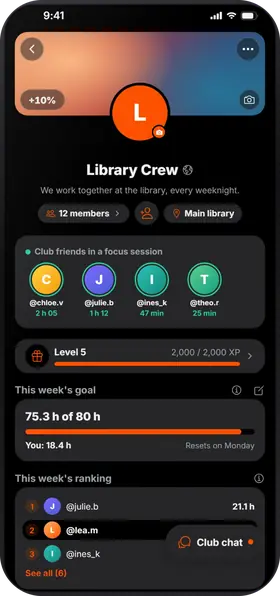
All these methods take consistency. In Studva, your friends see your sessions, the league counts everyone's time from Monday to Sunday, and a club brings your class together around a shared goal.
dates, a plan and the methods that work
three comparisons, facts checked
Studva is free, with no subscription and no ads, on the App Store and Google Play.

On a computer? Open studva.app/dl on your phone.