📅 the calendar
One square per day, darker when you worked more: the gaps in your studying jump out. Tap a day to see its sessions. And 5 days in a row earn you a grace day, which protects your streak if you forget.
the guide · Pomodoro technique
Work in short blocks separated by real breaks: that's the whole Pomodoro technique. Studva, a free iPhone and Android app, times your blocks, handles your breaks and shows your friends the time you actually worked.
25 minutes of work, 5 minutes of rest, repeat
Created by Francesco Cirillo in the late 1980s, the technique is named after a tomato-shaped kitchen timer (pomodoro is Italian for tomato). The idea: a 25-minute block on a single task, a short 5-minute break, and after four blocks, a longer break.
Those numbers are a starting point: many people prefer longer blocks, like the 52/17 rule or the 90/20 rhythm, or no set length at all, like the Flowtime technique. What matters is alternating focus and real breaks.
focus block · 25 minshort break · 5 minlong break · 15 to 30 min
in Studva: the Pomodoro scheduled breaks offer 5, 15 and 30 minutes, and the timer starts again on its own
four moves, the app counts the rest
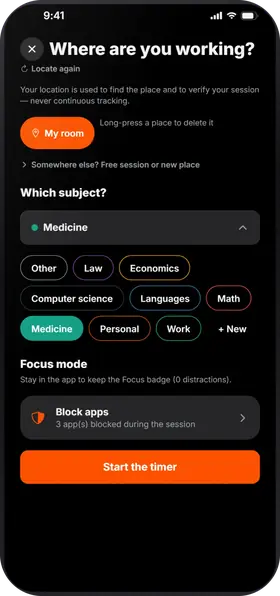 pick your subject 📚
Pick your subject or project, take the start photo, and go.
aim for 25 min ⏱️
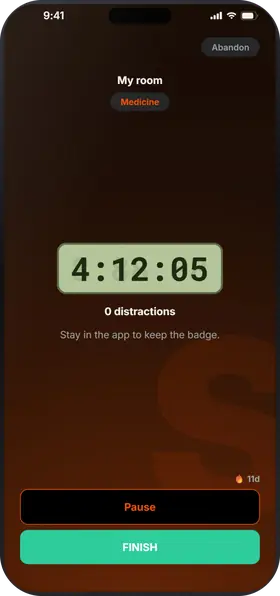
Studva doesn't force a length on you: the timer counts up, and you decide when to take your break. For a classic Pomodoro, aim for 25 minutes.
even when locked 🔒
Long-press pause, then slide: 5, 15 or 30 minutes with the Pomodoro scheduled breaks (in Settings), up to 1 hour in Free mode. When it ends, the timer starts again on its own; if you left the app, a “Break over” notification tells you.
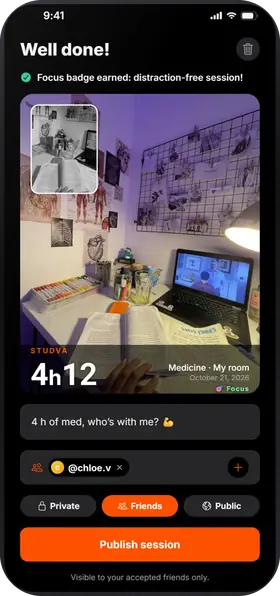 BEFORE / AFTER photo 📸
Finish with the end photo: your friends see the time you actually worked, because breaks never count.
what Studva tracks for you, with nothing to write down
One square per day, darker when you worked more: the gaps in your studying jump out. Tap a day to see its sessions. And 5 days in a row earn you a grace day, which protects your streak if you forget.
Your total work time since day one, milestone after milestone: 1 h, 10 h, 100 h… The app projects the date of the next one at your recent pace, “What if…” shows what 15 more minutes a day would change, and “You last month” compares with your curve from a month ago.
Your time per subject and per place, over 7 days, 8 weeks, the month or the year, with your average per day or per week. You can export everything to CSV.
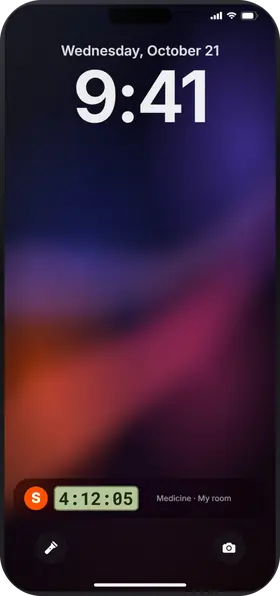
While the timer runs, leaving the app counts as a distraction; locking the screen doesn't. Zero distractions: your session earns the Focus badge and 10% more XP. On iPhone, you can block the apps of your choice during the session.
your friends, your exams, your phone
the hardest part is starting
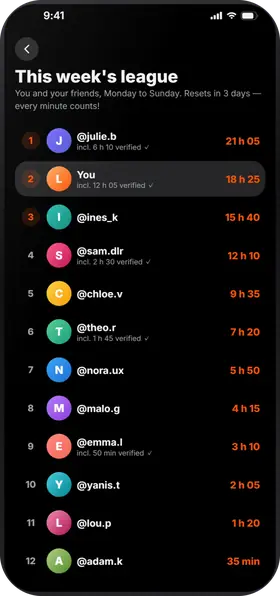
You see which friends are working right now, their sessions show up in your feed, and the league counts everyone's time from Monday to Sunday. A Focus 🎯 after a solid block makes you want to start the next one.
one block = one chapter
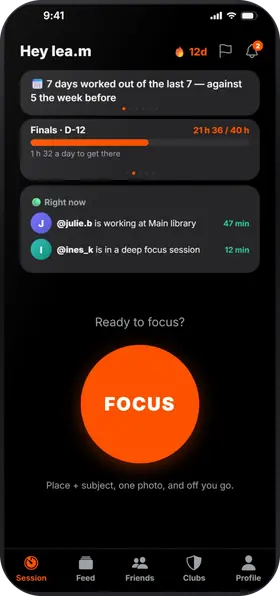
For an exam, one block fits a chapter, a set of notes or a round of exercises. Add your exams: the countdown greets you every time you open the app, and your stats show your time per subject.
no distractions, no excuses
While the timer runs, leaving the app counts as a distraction; locking the screen doesn't. On iPhone, choose apps to block during the session with Apple's Screen Time: Studva never sees which ones. On Android, Reinforced Focus turns on Do Not Disturb.
See also: 10 study methods, and study with friends with Studva.
Studva is free, with no subscription and no ads, on the App Store and Google Play.

On a computer? Open studva.app/dl on your phone.