see who’s studying 👀
right now
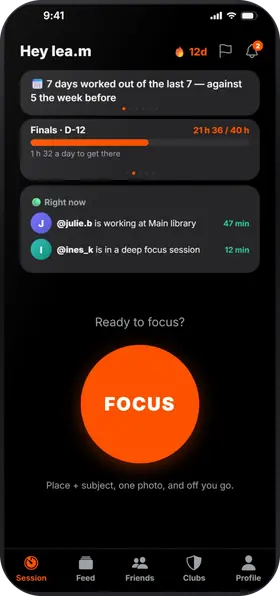
On the home screen, you see which friends are working right now. Add your exams and deadlines: the countdown greets you every time you open the app, and your weekly goal fills up while you work.
the guide · studying together
Studva is a free iPhone and Android app that turns your study hours into sessions your friends can see, like Strava does for sport. Everyone studies on their own, and everyone moves forward.
everyone on their own, everyone moving forward
right now
On the home screen, you see which friends are working right now. Add your exams and deadlines: the countdown greets you every time you open the app, and your weekly goal fills up while you work.
every week, Monday to Sunday
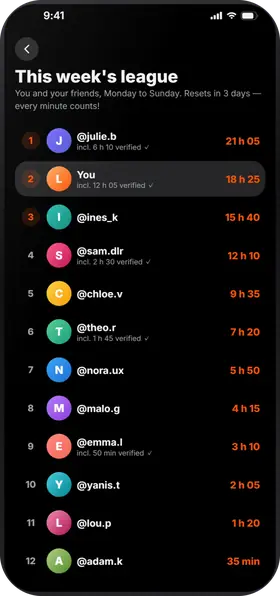
The league counts all your work time and your friends', then starts over on Monday. One good evening is enough to climb back up.
one goal for the whole group
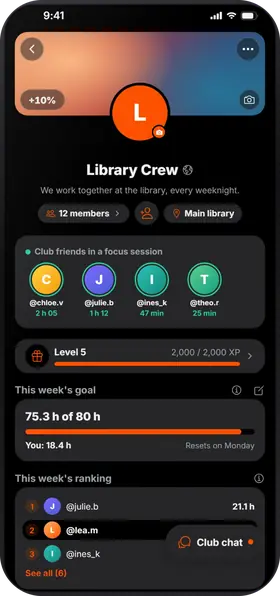
Create a club for your class, your year or your group: weekly goal, ranking, chat and challenges set by the admin. The club levels up as its members work.
before / after
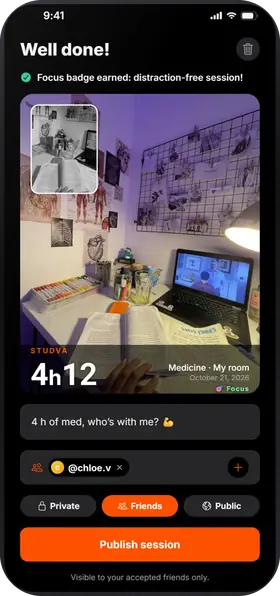
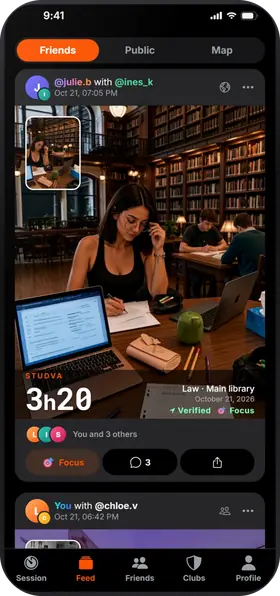
Your sessions show up in your friends' feed with the start and end photos. Send them a Focus 🎯 or a comment, and they do the same for you.
500,000 libraries, universities and schools
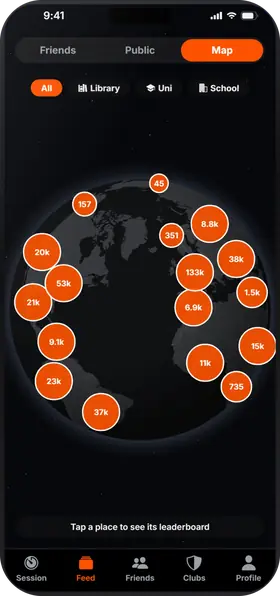
The map lists more than 500,000 places worldwide, from OpenStreetMap. In an approved place, GPS confirms you were there at the start and the end, and your session gets the Verified badge.
breaks that end on their own
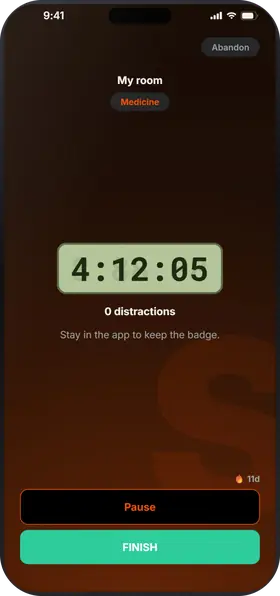
Take breaks that end on their own, like with the Pomodoro technique. Leaving the app while the timer runs counts as a distraction, and on iPhone you can block the apps of your choice during the session.
what Studva tracks for you, with nothing to write down
One square per day, darker when you worked more: the gaps in your studying jump out. Tap a day to see its sessions. And 5 days in a row earn you a grace day, which protects your streak if you forget.
Your total work time since day one, milestone after milestone: 1 h, 10 h, 100 h… The app projects the date of the next one at your recent pace, “What if…” shows what 15 more minutes a day would change, and “You last month” compares with your curve from a month ago.
Your time per subject and per place, over 7 days, 8 weeks, the month or the year, with your average per day or per week. You can export everything to CSV.
While the timer runs, leaving the app counts as a distraction; locking the screen doesn't. Zero distractions: your session earns the Focus badge and 10% more XP. On iPhone, you can block the apps of your choice during the session.
On iPhone and Android.
Studva sells nothing.
By default, your sessions are visible to your friends; you pick the audience for each one.
The map shows places, not people.
Everything is explained in the privacy policy.
Pomodoro, Flowtime, spaced repetition, body doubling…
Once your friends are in, the question is how. The best-known methods, revisited the Studva way: the idea, how to do it, and what the app adds.
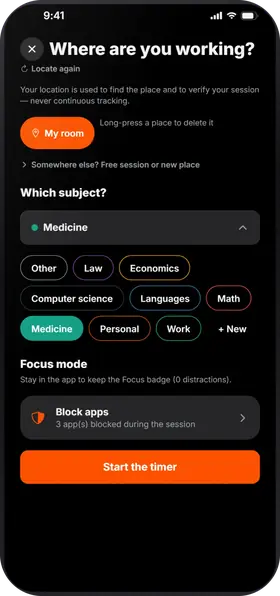
Studva is free, with no subscription and no ads, on the App Store and Google Play.

On a computer? Open studva.app/dl on your phone.