📅 the calendar
One square per day, darker when you worked more: the gaps in your studying jump out. Tap a day to see its sessions. And 5 days in a row earn you a grace day, which protects your streak if you forget.
exam guide · facts checked on 26 October 2026
The SAT is now digital, shorter and adaptive. Here are the 2026-27 test dates, what is on the test, and a study plan built around official practice tests, with Studva to keep you consistent until test day.
register before the deadline
These SAT Weekend dates apply in the US and internationally; late registration is possible for an extra fee. Schools also run SAT School Day from 1 March to 30 April 2027. Source: College Board, SAT dates and deadlines.
two sections, four modules
Short passages, one question each: vocabulary in context, structure, grammar and the logic of a text. Two modules, 64 minutes in total.
Algebra, advanced math, problem-solving and data, geometry and trigonometry. Two modules, 70 minutes in total, with a calculator allowed for the whole section.
You take the test in the Bluebook app. The second module of each section adapts to how you did on the first, so every question counts.
Each section is scored from 200 to 800. Many colleges look at your best scores, so planning two test dates gives you room to improve.
about three months before test day
One full-length official practice test in Bluebook, timed, to find your starting score and your weak spots.
30 to 60 minutes a day on your weak skills, with official practice questions, and a mistake log you review every week.
Full tests in real conditions, same time of day as the real one, then review every mistake before the next test.
Charge your device, check Bluebook and your admission ticket, and sleep: a rested brain reads faster.
explained step by step in the guide
what Studva tracks for you, with nothing to write down
One square per day, darker when you worked more: the gaps in your studying jump out. Tap a day to see its sessions. And 5 days in a row earn you a grace day, which protects your streak if you forget.
Your total work time since day one, milestone after milestone: 1 h, 10 h, 100 h… The app projects the date of the next one at your recent pace, “What if…” shows what 15 more minutes a day would change, and “You last month” compares with your curve from a month ago.
Your time per subject and per place, over 7 days, 8 weeks, the month or the year, with your average per day or per week. You can export everything to CSV.
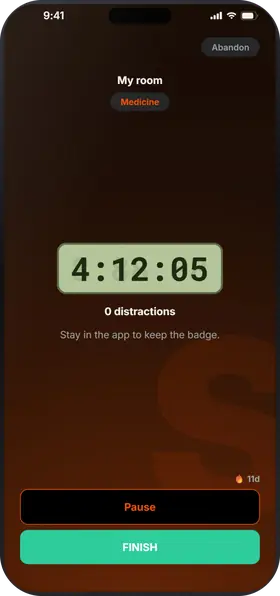
While the timer runs, leaving the app counts as a distraction; locking the screen doesn't. Zero distractions: your session earns the Focus badge and 10% more XP. On iPhone, you can block the apps of your choice during the session.
study with friends, even remotely
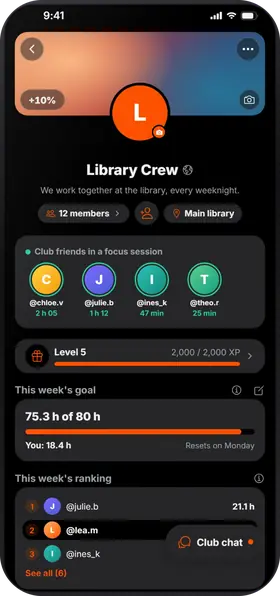
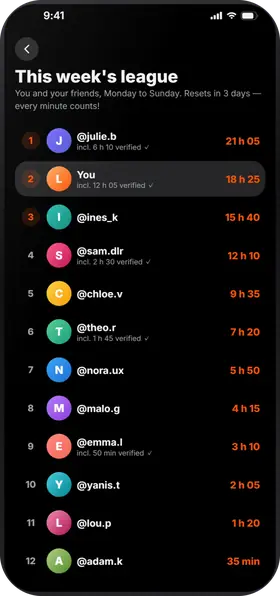
All these methods take consistency. In Studva, your friends see your sessions, the league counts everyone's time from Monday to Sunday, and a club brings your class together around a shared goal.
the short answers
Most students do well with two to three months of regular work: short daily blocks on weak skills, and a full official practice test every week or two. Consistency matters more than marathon sessions.
College Board offers free full-length practice tests in the Bluebook app, and official SAT practice on Khan Academy. Practice in the same digital format as the real test.
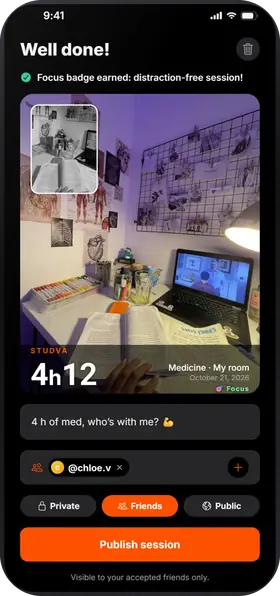
Start the timer for each block, take a photo at the start and at the end, and your friends see your sessions. Add your test date with the hours you want to put in: the countdown and the counter greet you every time you open the app. On iPhone, you can block distracting apps during the session. Studva is free, with no subscription and no ads.
Studva is free, with no subscription and no ads, on the App Store and Google Play.

On a computer? Open studva.app/dl on your phone.