📅 the calendar
One square per day, darker when you worked more: the gaps in your studying jump out. Tap a day to see its sessions. And 5 days in a row earn you a grace day, which protects your streak if you forget.
dissertation guide · facts checked on 29 November 2026
A dissertation or a thesis means months of work on your own, with no exam to push you. Here is a six-month plan, a way to write a little every day, and how Studva helps you keep going until you hand it in.
Get the app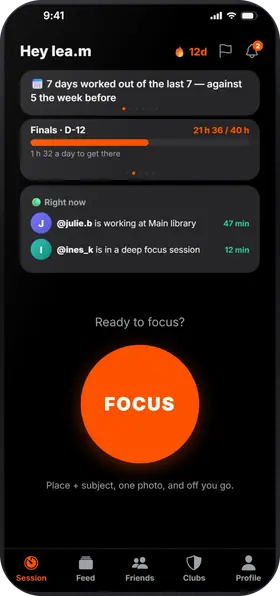
and what helps
In a study by Buehler, Griffin and Ross (1994), 37 students expected to finish their thesis in 34 days on average. They took 55, more than their own worst-case estimate of 49 days, and only about 30% finished on time.
It takes time to get into your topic. Try blocks of 52 or 90 minutes, and keep the breaks: brief breaks help you stay alert on a long task (Ariga and Lleras, 2011).
With no exam, the deadline feels far away until it is not. Set a deadline for each part, and send each part to your supervisor as soon as it is done.
If you can explain your work in two minutes to someone outside your field, you are ready. Practise out loud, and write down the questions people ask.
from the topic to the defence
A precise question, agreed with your supervisor. Write down the submission date and the defence date.
Read and take notes in your own words, with the full reference every time. A draft outline by the second month.
A little every day, part by part, without waiting to have read everything. Send each part for feedback as soon as it is done.
No new parts: references, layout, spelling, then practise your defence out loud.
explained step by step in the guide
what Studva tracks for you, with nothing to write down
One square per day, darker when you worked more: the gaps in your studying jump out. Tap a day to see its sessions. And 5 days in a row earn you a grace day, which protects your streak if you forget.
Your total work time since day one, milestone after milestone: 1 h, 10 h, 100 h… The app projects the date of the next one at your recent pace, “What if…” shows what 15 more minutes a day would change, and “You last month” compares with your curve from a month ago.
Your time per subject and per place, over 7 days, 8 weeks, the month or the year, with your average per day or per week. You can export everything to CSV.
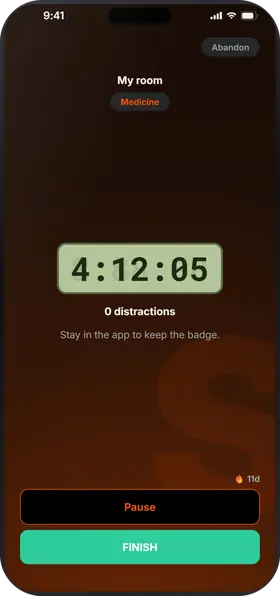
While the timer runs, leaving the app counts as a distraction; locking the screen doesn't. Zero distractions: your session earns the Focus badge and 10% more XP. On iPhone and Android, you can block the apps of your choice during the session.
study with friends, even remotely
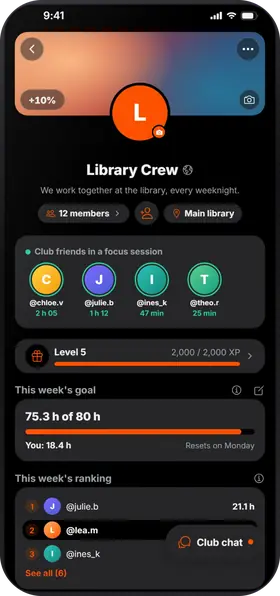
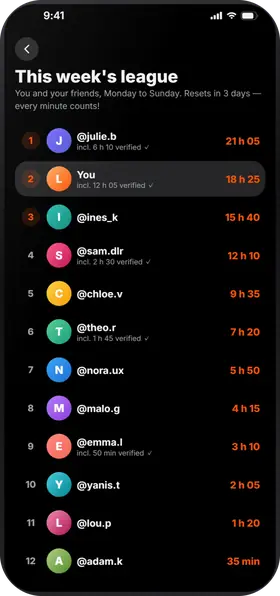
All these methods take consistency. In Studva, your friends see your sessions, the league counts everyone's time from Monday to Sunday, and a club brings your class together around a shared goal.
the short answers
It depends on the degree and the topic, but plan generously: we almost always underestimate how long a project takes. Split it into parts, estimate each one, add half, and keep the last month for proofreading.
A fixed slot every day, one goal per block (a page, a section) and a deadline for each part. Send each part for feedback as soon as it is done, without waiting until you have written everything.
Practise out loud: present your work in a few minutes to someone who does not know it, write down their questions, and prepare a short answer to each one.
Start the timer for each block, take a photo at the start and at the end, and your friends see your sessions. Add your submission date with the hours you want to put in: the countdown greets you every time you open the app. On iPhone and Android, you can block distracting apps during the session. Studva is free, with no subscription and no ads.
keep going
Studva is free, with no subscription and no ads, on the App Store and Google Play.

On a computer? Open studva.app/dl on your phone.